
Full suite
Every Naffo module for sales, stock, money, buying, production and team.
₹9,999/year
Price is for the first user · 10 modules · ≈ ₹27 a day
- Launch price locked for 3 years
- Autopay by UPI, card or netbanking. Cancel any time from Settings → Billing.
- No GST charged · Terms, refunds and cancellation
Problems it solves
- Five apps, ten notebooks, no clear picture
- Same entry typed in three places
- Can't see the business when away
- Every report waits for the accountant
What you get
GST billing and accounts
How it helps: Invoices, receipts, payments and books in one place, with Tally import.
In the app: Transactions → Sales
Who owes whom
How it helps: Bills grouped by days overdue, so you know whom to chase and whom to pay.
In the app: Accounting → AR / AP Aging
Owner's command centre
How it helps: Cash, receivables, sales and stock alerts on one MIS screen.
In the app: Insights → Command Center
Lead pipeline
How it helps: Every lead on one board with stage, owner and next follow-up date.
In the app: CRM → Pipeline
Dealer ordering portal
How it helps: Shops and dealers order from their phone; you approve and bill.
In the app: Orders → B2B → Order Requests
Supplier quote comparison
How it helps: See supplier quotes side by side, with freight, GST and delivery time.
In the app: Manufacturing → Procurement → RFQ
Batch costing with QC
How it helps: Per-unit cost of every batch, with wastage booked and a quality check.
In the app: Manufacturing → Manufacturing Core → Production Batches
Outlet stock and orders
How it helps: Each outlet has its own login and stock, and orders from head office.
In the app: Orders → Retail (POS) → Outlet Orders
Attendance to salary
How it helps: Daily attendance feeds the monthly salary bill and salary slip.
In the app: HR → Attendance
Ask Naffo AI
How it helps: Ask about your business in plain words; answers come from your live data.
In the app: Dashboard → Naffo AI
Get started in 5 steps
- 1Finish the Setup WizardFirst login: pick business type, add company details, bank account and financial year.
- 2Switch on your modulesSettings → Modules. Turn on the modules you need; core ones always stay on.
- 3Add your teamAvatar → Manage Users → Add User. Give each person a role.
- 4Bring in your dataUse Settings → Tally Connector, or add products and parties under Master.
- 5Start daily workMake bills from Transactions → Sales; check Dashboard → Overview each morning.
Why Naffo costs less
Big-company software, without the big-company bill
Most of what large companies pay for an ERP isn't the software. It's consultants, servers and months of setup. Naffo cuts those out.
No consultants
You set it up yourself, with step-by-step videos. No implementation project, no daily-rate consultants.
No servers to buy
It runs in the cloud. Nothing to install, maintain or upgrade in your office.
Set up in a day
Import your Tally data, add products and parties, and raise your first GST invoice the same day.
Built only for India
GST, e-invoice, e-way bills and Indian ways of working are built in, not paid add-ons.
Not for large enterprises that need custom integrations and an on-site project team.
What businesses usually pay
- Enterprise ERP licences: ₹6,600–₹25,000 per user per month
- Big ERP rollouts: ₹50 lakh–₹1.5 crore, including consultants
- Naffo: ₹999 a month for the first user, ₹299 for each extra, set it up yourself
What businesses buy an ERP for, and where to see it
- GST invoices, e-invoice & e-way billWatch
- Products, stock & godownsWatch
- Payments, receipts & accountsWatch
- Purchase, RFQ & goods receiptWatch
- BOM, batches & quality checksWatch
- Leads & follow-upsWatch
- Attendance & payrollWatch
- Counter billing & outletsWatch
- Field team & deliveriesWatch
- Roles, permissions & audit trailWatch
- Reports & MISWatch
- Tally syncWatch
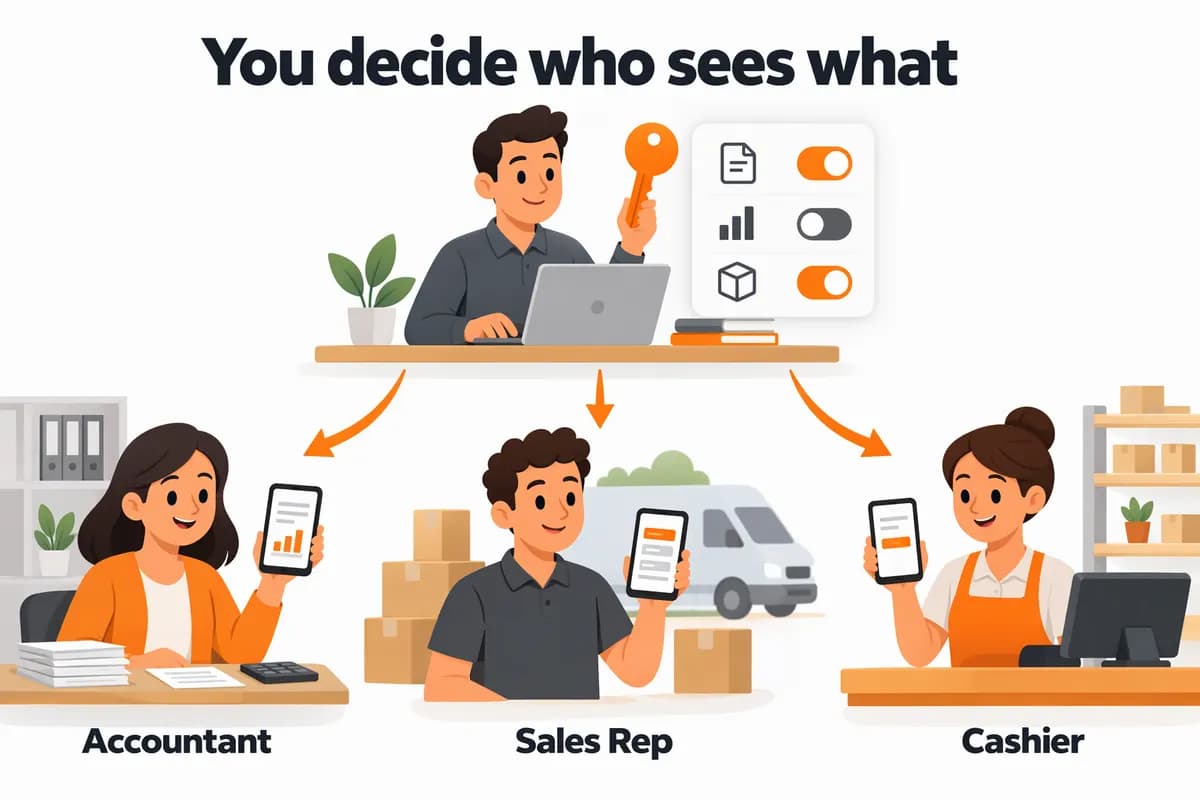
You stay in control
Buy everything. Show each person only their part.
With the Full suite, the owner or admin decides who sees which screens and what each person can change. Your salesman never sees your accounts.
- Roles with set rightsCreate a role, pick the modules it can open and what it may do: view, create, edit, delete, approve, export, print or share. · Settings → People & Access → Roles
- Ready-made presetsStart from Cashier, Accountant, Sales Rep, Field Staff, Manager or Read-Only, then adjust. · Settings → People & Access → Roles
- Changes for one personGive one user extra or fewer rights without touching the role everyone else shares. · Settings → Users → ⋮ → Manage Access
- Menus follow the rightsEach person sees only the menus their rights allow, and can check their own rights. · Avatar → My Access
Questions
What does 'price locked for 3 years' mean?
The price you subscribe at does not go up for 3 years while your subscription stays active.
Can I cancel?
Yes, any time from Settings → Billing, in one step. You keep access until the end of the period you paid for.
Yearly or monthly?
Both are autopay by UPI, card or netbanking. Yearly costs less over the year.